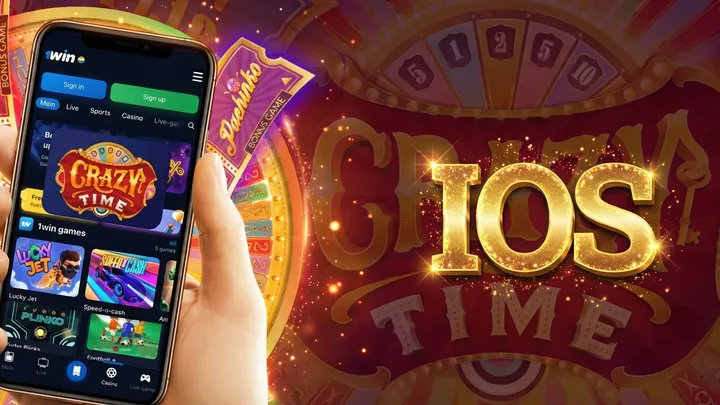
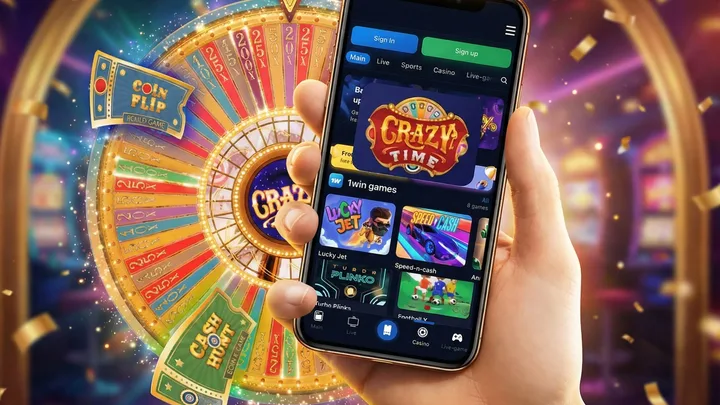
Crazy Time App & Mobile Play in India

Evolution does not publish a Crazy Time app. The live wheel runs in a casino lobby streamed from the Riga studio, and there are two ways in: the operator's own app, or the operator's site in a browser. On Android the app usually arrives as an APK from the casino domain rather than through Play, which is an installation method rather than a third route. A homescreen shortcut sits on top of the browser option, turning it into a one-tap launcher.

No official Evolution appCasino app wrapper routeShortcut Android + iOSAPK HTTPS only
crazytime mobile play on Android and iPhone in India: casino app, browser shortcut, and APK options
Mobile setupApp-like access, browser stream

Use a casino app, a homescreen shortcut, or a verified Android APK source.

No Official Crazy Time App: What That Means

Crazy Time mobile browser screen with Evolution wheel controls
No native appbrowser only

The honest answer settles this fast. As of this page's last review, Evolution Gaming publishes no Crazy Time app on Google Play or the App Store, and its own how-to routes players through an online casino lobby instead. The live wheel runs in the browser via the casino operator's lobby, with the same Evolution feed that desktop players see; the English-speaking live host, the betting window that Evolution's how-to puts at 15 seconds, and the No More Bets countdown are all part of that browser session. That feed is broadcast live from Evolution's Riga studio in Latvia, in English, around the clock, and the layout adapts to portrait so the wheel, the bet panel and the presenter stay on screen together.

Standalone listings on Google Play carrying the words "Crazy Time" turn out to be unrelated games, slot clones, or wrappers built around the name. Players who go to the Play Store looking for the real game land on these, not on the Evolution live wheel.

They do not connect to the Evolution server, do not run real bets, and do not sit inside any licensed casino lobby. Treat them as separate apps that happen to share a popular keyword. The same caution applies to crazy time predictor bots sold through Telegram: the forecast claim fails for structural reasons, and the APK route doubles as a malware vector.

Pick Your Route

Four ways to reach the wheel on a phone, and they are not equivalent. The table sorts them by what you can actually do at the end.

Routes to Crazy Time on mobile, and what each one gets you
RouteAndroidiPhoneReal-money playWhere it ends
Operator appAPK from the casino domainApp Store listing where the operator has oneYesCasino live lobby
Operator in browserChromeSafariYesCasino live lobby
Shortcut to the casino lobbyAdd to Home screenAdd to Home ScreenYes, it opens the lobbyCasino live lobby
Shortcut to this guideAdd to Home screenAdd to Home ScreenNoThis page
Third-party \AvoidNot applicableNo verified operator lobbyUnknown

The first three all end at an operator lobby carrying the Evolution stream; they differ only in how you get there. The shortcut route is worth separating carefully: a shortcut made from the casino's own game page opens the lobby and plays for real money, while a shortcut made from this page opens this page. Same gesture, different destination. The last row is covered in the APK section below.

Casino Apps That Include Crazy Time

Crazy Time casino app lobby with INR payment route
Casino appsame login
Casino app

Native or wrapped operator app. Same account, same cashier, same Evolution stream.

Homescreen shortcut

Fastest safe setup on Android and iPhone, with no separate app install.

Casino APK

Android-only route. Install only from the operator HTTPS domain.

Closest thing to a Crazy Time app is the casino operator's own app, and that route splits along OS lines.

On Android, some India-facing casinos publish an APK for direct download from their own domain, for the Play policy reasons set out in the APK section below. The casino homepage usually carries the install link, labelled "Android app" or "Get the app", with a QR code beside it for desktop visitors.

On iOS the picture shifts every few months as Apple updates its category rules. Some operators have an App Store listing, some ship a web app instead, and a few publish a wrapped build under a parent gaming label. Where the operator's site is reachable, Safari plus that site is the route least likely to go stale.

Where an operator carries it, Crazy Time sits in the live lobby among the other Evolution game shows, under the provider's logo and the same studio thumbnail used on desktop. Tap the tile and the app loads the stream from the same Evolution server the browser uses.

There is no separate build of the game: it loads as a provider module inside whatever client you are using. App architectures differ between operators, but the wheel does not.

Account handling is operator-specific rather than uniform, so check your own account before depositing. Login, KYC and withdrawal history are usually shared between an operator's app and its site, but confirm it rather than assume it. Sign-up runs on phone OTP for Indian mobile verification. Payment methods shown in the app can differ from the web cashier at the same brand, so confirm that UPI appears before funding an account through the app.

Choose a Crazy Time casino

Add Crazy Time to Your Homescreen (Android & iPhone)

Crazy Time homescreen shortcut setup on Android and iPhone
Homescreen2 min setup

Second-best setup, and it needs no download at all: works on every modern Android and iPhone. The icon sits beside your other apps and launches straight into the live lobby.

On Android (Chrome)

  1. Open your casino account in Chrome on the Crazy Time live game page.
  2. Tap the three-dot menu in the top-right corner.
  3. Tap "Add to Home screen". Recent Chrome builds label this "Install and create shortcut" or offer both; either one produces the launcher.
  4. Confirm the shortcut name; tap "Add" or "Install".
  5. The icon now sits on your homescreen and opens straight into the live lobby.

On iPhone (Safari)

  1. Open your casino account in Safari on the Crazy Time live game page.
  2. Tap the Share icon at the bottom of the screen (the square with an upward arrow).
  3. Scroll the share sheet down; tap "Add to Home Screen".
  4. Edit the label if you want a shorter name; tap "Add" in the top-right.
  5. The shortcut appears on the homescreen. Current Safari also offers an "Open as Web App" toggle in the share sheet; with it on, the shortcut launches without Safari chrome, and with it off it opens as a normal tab.

Crazy Time APK: How It Works and the Risks

Crazy Time APK safety checklist with HTTPS source rule
APK safetyHTTPS only

An APK is the Android install file format, the equivalent of an .exe on Windows or a .dmg on Mac.

Casinos distribute theirs directly because Play's real-money gambling policy admits such apps only in selected countries where the operator holds a licence for that market. India's Play pilot covered daily fantasy sports and rummy rather than live casino; it closed in September 2023 and the grace period lapsed in January 2026. An APK is how a native Android build reaches players when Play will not carry it; the browser and web-app routes stay open either way.

Operators carrying the Evolution live stream distribute their APK through a direct HTTPS link on the casino site. After install, the casino lobby opens with a familiar tile grid, Crazy Time sits inside the live casino tab, and the wheel streams from the same Evolution servers that power desktop sessions. Again the APK is only the wrapper; the game itself is unchanged.

Why Third-Party APKs Are Risky

Files named "Crazy Time APK" circulating through Telegram channels, share groups and mirror sites are not operator builds, whatever the listing says. Sideloading from an unverified source is a well-documented risk on Android generally, and a package that reaches you outside the casino's own domain has no chain of custody at all.

What such files actually contain varies. Some are re-bundled with additional code, some show an interface not connected to any operator, and some are ordinary slot clones wearing the name. None of them reaches the Evolution stream, which only runs inside a licensed operator's lobby.

Safe-Source Rule

Only install a casino APK from the casino's own HTTPS domain. Cross-check the domain against the operator's official social channels before you tap install. Not via Telegram, not via mirror sites, not via shortened forum links.

One check is worth the ten seconds it takes: read the permission list at install. SMS access and accessibility services are the strongest red flags, since neither has any role in a casino lobby. Camera or photo access can be legitimate for KYC uploads, so judge it by whether the app asks at install or at the point of verification. Keep Play Protect enabled as well; it scans sideloaded packages.

See the casino shortlist

Mobile Data Usage: How Many MB Per Hour

Crazy Time stream quality data usage table for 4G and 5G
Data use480p-1080p

Crazy Time typically uses around 500-900 MB of data per hour in HD. Consumption may fall to 250-450 MB per hour when the adaptive stream switches to lower quality.

Usage tracks the stream mode, not the network: at a fixed quality the bitrate is the same on 4G, 5G or Wi-Fi. What the network changes is how far Evolution's adaptive encoder drops the picture when throughput falls. The figures below assume one continuous viewing hour with the session in the foreground and the bet panel active, calculated from the bitrate each mode runs at.

Crazy Time data usage per hour by stream mode
Stream modeApprox. bitrateData per hour
Low / adaptiveunder 1 Mbps250-450 MB
720pabout 1.25 Mbps500-600 MB
1080p (HD)about 2 Mbpsabout 900 MB

An hour of HD costs roughly 0.9 GB, which takes most of a 1.5 GB daily prepaid pack. Dropping to 720p in the casino's video settings brings that to around 500-600 MB with no real loss of clarity on a 6-inch screen. To follow outcomes without paying the stream's data cost at all, the live stats scoreboard updates round by round as text, and the results history tracker holds the full record.

Device and Network: The Short Version

Crazy Time mobile play on Realme Redmi OnePlus and iPhone in India
PhonesAndroid 10+

The hardware bar is low. As a practical rule, if a phone plays video smoothly in Chrome or Safari it will handle Crazy Time, since the stream is the demanding part rather than the game. Older or memory-constrained handsets are better off at 720p than at the HD setting, which is a stream-quality choice rather than a device limitation.

Two phone habits look like app faults but are not. Aggressive battery savers throttle background data on some Android skins, and a throttled stream can drop to a placeholder while the betting window closes blind, so turn it off for the session.

The other is the daily prepaid cap. Once it is spent, the post-cap speed will not carry video, and the fix is switching networks rather than lowering quality.

Beyond that, connection stability matters more than raw speed. What breaks a round is a handover or a dropout inside the betting window, not a slow average. A stable connection matters more than a fast one.

The carrier lag fixes for Jio, Airtel and Vi cover VPN impact, 5 GHz Wi-Fi guidance and tower handshake behaviour in detail; that page owns the topic.

Download Questions People Actually Ask

Five search phrases come up constantly, and each has a short answer worth knowing before you go looking.

"Crazy Time game download" returns nothing legitimate, because there is no game file to download. The wheel is a live broadcast, not a program that runs on your phone. What downloads is a casino client; the game arrives as a video stream inside it. Anything advertising itself as the Crazy Time game itself is a different product wearing the name.

"Crazy Time app download link" has one correct answer per operator: the link on that casino's own domain. There is no universal link and no single file that works across brands. A page offering one link for "the Crazy Time app" is offering something else.

"Free download" is accurate as far as it goes. Casino apps are free to install and free to open, and watching the live lobby costs nothing. What real stakes buy is a seat at the live table, which has no free-money mode. If you want to see the mechanics without staking, the demo simulates the wheel with the real segment weights.

"Latest version" and "old version" matter more with sideloaded builds than with store apps, because Play does not update an APK it did not install; whether the operator client updates itself depends on the operator. Take the current build from the casino domain and install it over the top when a session reports an unsupported version. Sites offering version archives of a "Crazy Time APK" are not distributing operator builds.

"Crazy Time tracker app" meets much the same answer as the game itself. The trackers people actually use are web pages: spin history, segment frequencies and multiplier records all read in a browser, which is also why they cost a fraction of the stream's data. The spin history archive and the live statistics scoreboard are the pages to bookmark.

Searches in this family also surface app names that resemble the game without being it. None of them is an Evolution product or an operator client; they fall into the third-party APK category covered above.

When Something Goes Wrong

Most failures happen at one of eight points, and each has a different cause. Work down the table rather than reinstalling blindly.

Where the mobile route breaks, and what it usually means
What you seeLikely causeWhat to try
Download link missing on the casino siteRegion gate, or no Android build for this marketOpen the casino in a browser instead; the web lobby carries the same game
APK will not installUnknown-sources blocked for that browser, too little storage, an OS version below the build's minimum, or an incomplete downloadGrant install permission to the browser you downloaded with, free some space, then re-download rather than retrying the same file
App installs but Crazy Time is missingCatalogue or region availability for your accountCheck the live casino tab and the in-app search; if absent, that operator does not offer it on your account
Provider tile does not loadStale session, blocked scripts or cookies, or a provider-side outageClear the cache, log out and back in, disable VPN or ad blockers; if other live tables also fail, wait it out
Login or OTP loopNumber mismatch with the registered account, or SMS delivery failureRequest the OTP again after a minute; switch to email login if the operator offers it
UPI missing from the cashierPayment method differs between app and web at the same brandDeposit through the web cashier, then return to the app
Stream buffers during the betting windowThroughput dropping below what the current quality needsDrop to 720p, close background apps, move to the most stable connection available
App reports an unsupported versionThe installed build is behind the operator's current oneDownload the current build from the casino domain; if installing over the top fails, remove the old one first

A bet that does not register during the window is the one case with no fix after the fact: the round closes at No More Bets regardless of what your screen shows. On an unreliable connection, lower the stream quality before the session rather than during it.

Crazy Time App FAQ

Crazy Time mobile app FAQ visual for India
FAQ8 answers
Is there an official Crazy Time app?

No. Evolution Gaming has not released a Crazy Time app on Google Play or the App Store. The live wheel runs in the browser only, streamed 24/7 from the Riga studio. Listings under that name on Google Play are unrelated games or wrappers built around the keyword.

How do I add Crazy Time to my Android homescreen?

Open the casino's Crazy Time game page in Chrome, tap the three-dot menu, then tap "Add to Home screen"; recent builds label this "Install and create shortcut". The icon launches that casino lobby with a single tap. Full step list above.

How do I add Crazy Time to my iPhone homescreen?

Open the casino's Crazy Time page in Safari, tap the Share icon, scroll the share sheet, then tap "Add to Home Screen". Current Safari also offers an "Open as Web App" toggle: on, the shortcut opens without Safari chrome; off, it opens as a normal tab. The casino login still controls the session.

What is a Crazy Time APK and is it safe to download?

An APK is the Android install file. A casino's own APK from its official HTTPS domain is the only route worth using: Telegram links, mirror sites and shortened forum URLs are a known malware vector in India and can ship credential-stealers aimed at UPI credentials and banking OTPs. Read the permission list at install, keep Play Protect on, and treat any request for SMS, accessibility or gallery access as a stop signal.

How much mobile data does Crazy Time use per hour?

Roughly 500-900 MB per hour in HD, falling to about 250-450 MB when the adaptive stream drops quality. These are bitrate-based estimates rather than measured figures. Usage follows the stream mode, not the network: at a fixed quality it is the same on 4G, 5G or Wi-Fi.

Which phones support Crazy Time mobile play?

If a phone plays video smoothly in Chrome or Safari, it runs Crazy Time. The stream is the demanding part, not the game, so on an older or memory-constrained handset the fix is the 720p setting rather than a different phone.

Does Crazy Time work on 4G in India?

Yes, at 720p on a stable 4G connection. What matters is holding the connection through the betting window rather than raw speed: set the video quality to 720p, disable battery saver, and stay put during a spin.

PagesAll